

Agent Payments
Agents Can't Spend Without Your Rules
Credit cards require your approval every time. Stablecoin payments run automatically but cannot exceed the contract limits you set.
Every card charge approved by you
Zero idle funds at risk
Contract-enforced stablecoin limits
Full audit trail on every payment
Most approaches force you to choose between two bad options. AgentPMT uses just-in-time funding so money only moves when a payment is actually needed.
Option A
Fund each agent separately. Managing balances across dozens of wallets becomes an operational headache -- and idle funds sit exposed.
Option B
Give every agent access to a single pool. Simpler, but any agent can drain the balance -- and a compromise exposes everything.
AgentPMT
No pre-funded agent wallets. Money moves only when a payment is approved or when stablecoin spend stays inside your x402Direct smart-contract-enforced limits.
Learn more about x402Credit cards for human-approved purchases. x402Direct for autonomous stablecoin spend.
Every charge requires your approval in the mobile app.

Approve from your phone
Every card purchase shows the vendor, item, and total. Review the details and approve with biometrics -- or deny instantly.
Autonomous payments for digital services, enforced by smart contract limits.
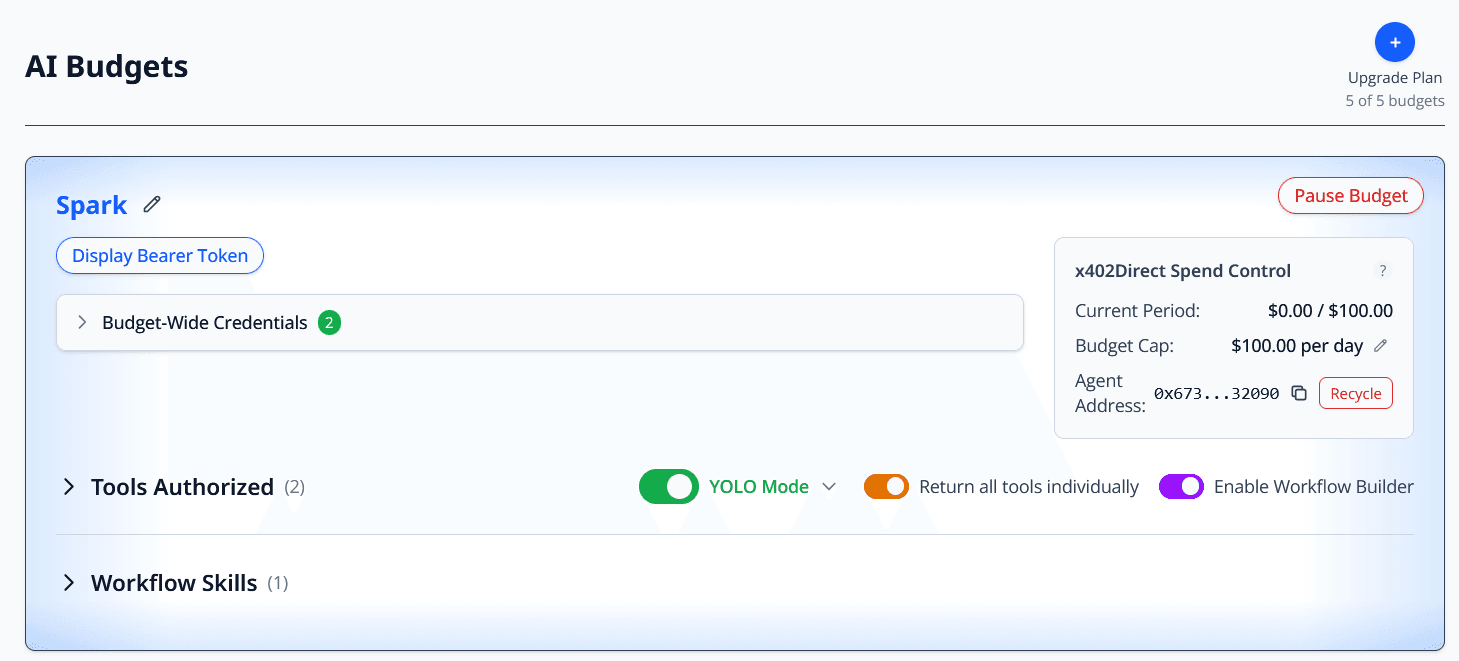
Set spend caps, reset periods, and authorized tools directly from your dashboard. No pre-funding required.
Create a free account to set up budgets, configure spend limits, and start approving payments.
| Funded Wallet | Human-in-the-Loop | AgentPMT | |
|---|---|---|---|
| Can an agent overspend? | Yes -- idle balance exposed if compromised. | No, but work stalls waiting for you. | No. Card charges need approval; stablecoins are contract-capped. |
| Keeps agents productive | Yes, but risk grows with balance. | No. You become the bottleneck. | Yes. Stablecoins run autonomously; cards run when you approve. |
| Clear spending controls | Partial. Balance still sits exposed. | Only through constant supervision. | Set caps once, approve card charges when needed. |
| Worst-case exposure | Entire pre-funded balance. | Low financial, high operational risk. | Minimal. No idle pool; enforced limits + per-charge approval. |
Every layer of protection is designed so you can let agents work while you sleep.
Push notification with biometric confirmation before any credit card payment runs.
Agents request purchases but never see raw card numbers or CVVs.
x402Direct cryptographically enforces caps -- no trust assumptions.
Even if an agent loops or errors, spending cannot exceed your limit.
Stop new charges immediately without shutting down the entire workflow.
Every request, approval, and payment is tracked in your dashboard.
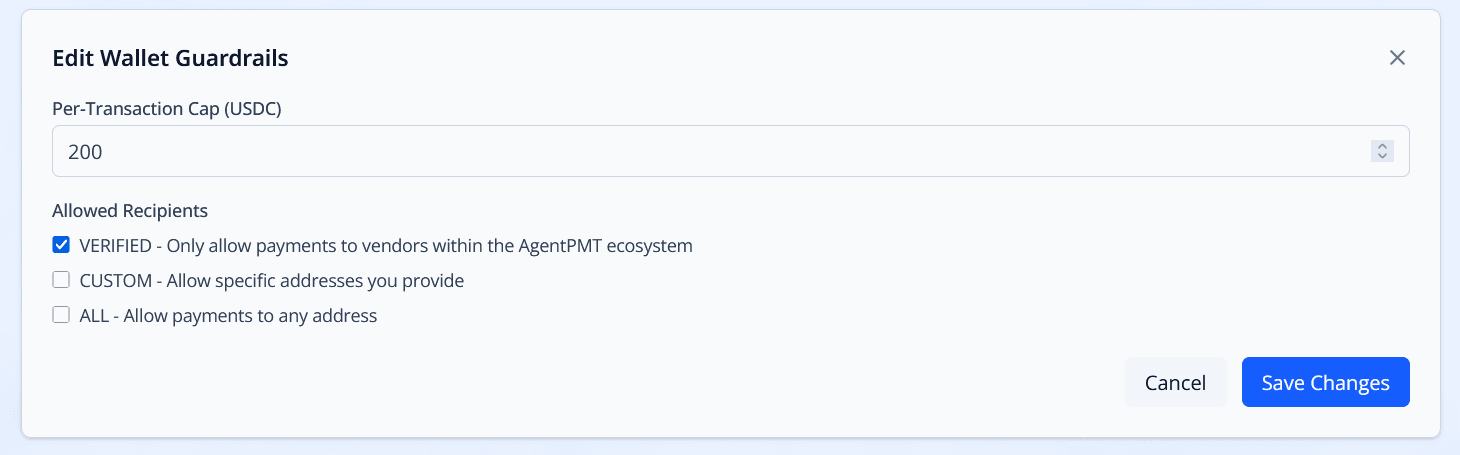
Set per-transaction caps and control which recipients your wallet can pay
Configure budgets, set spend caps, authorize tools, and review every transaction in one place. The mobile app keeps you in control when you are away from your desk.
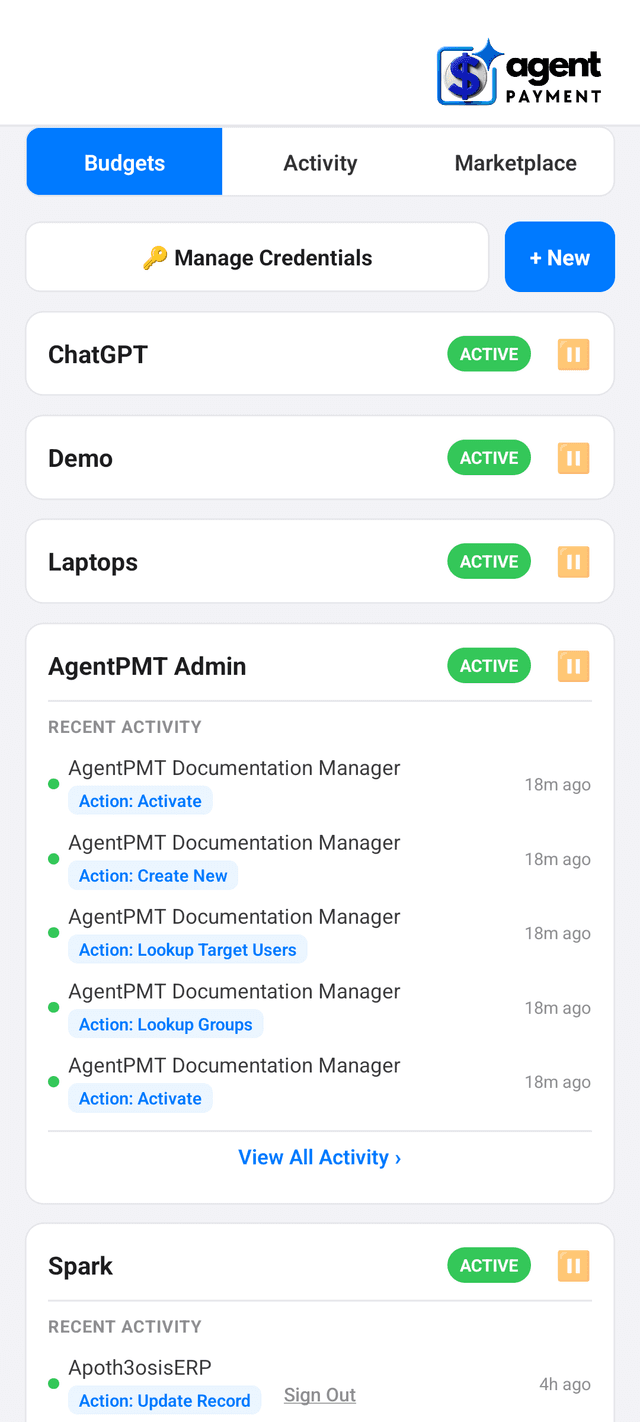
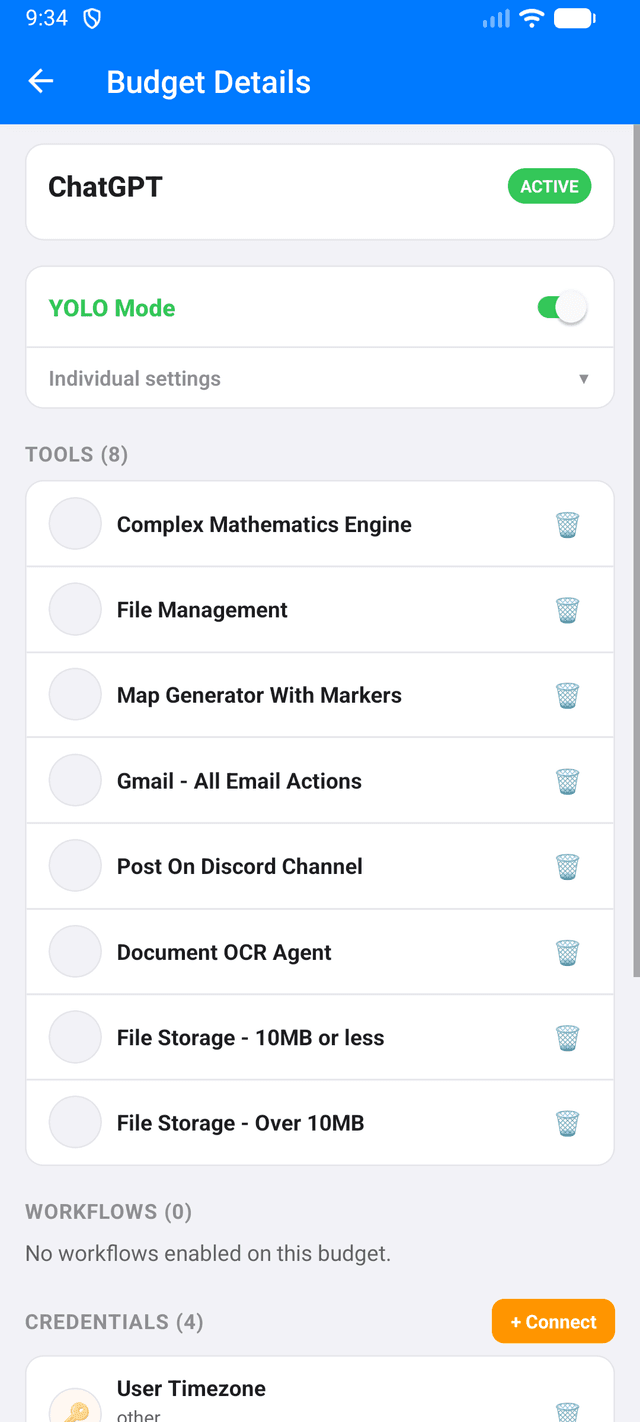
You set caps and reset periods once, and define which digital services your agent is allowed to pay for. The x402Direct smart contract checks every outbound payment against those rules before the transfer clears. A payment that would exceed a cap, or that targets a merchant outside the allowlist, is rejected on-chain with a human-readable reason.
Because the rules live in the contract rather than in agent code, changing an agent prompt cannot bypass them. You can update limits at any time from the dashboard, and each change is written to the audit trail with the actor and the new limit.
A paused wallet short-circuits every outbound transfer. The x402Direct contract never receives the request, the agent sees a rejected response with a human-readable reason, and the Audit Trail records who paused the wallet, when, and which agent attempted the transfer. Your USDC balance is unchanged.
Pausing a wallet takes one click in the Wallets tab. Unpausing takes one click as well. Both actions are reversible and written as append-only audit entries so you can always reconstruct the timeline.
AgentPMT provisions a Circle programmable wallet for every customer. You control it with your email and a PIN, and it holds USDC on Base by default. Your agent never holds private keys; it asks AgentPMT to move funds, and AgentPMT checks the request against your x402Direct limits before signing.
You can view balance, recent transfers, and per-agent spend from the Wallet tab in the dashboard. Every transfer is recorded on chain and mirrored into the audit trail with the originating agent, the workflow run, and the correlation id.
You do, from the AgentPMT mobile app. When an agent requests a credit card purchase, AgentPMT sends a push notification to your phone with the merchant, the item, and the total amount. You confirm with Face ID or fingerprint before the charge executes. Card details never touch the agent.
If no approval arrives within the approval window, the purchase is cancelled and the agent receives a declined response. Every approval decision, including timeouts, is written to the audit trail with actor, subject, and outcome.